TS MeeSeva (TS Meeseva 2.0)
TS MeeSeva Portal Guide! Here you’ll find complete and easy-to-understand information about MeeSeva Telangana services, Meeseva 2.0 features, and how to use the official portal for all your government service needs.@meeseva.telangana.gov.in.
TS Meeseva Login – Step-by-Step Guide
Accessing online government services is simple with TS MeeSeva Login. Through the official TS MeeSeva portal, citizens can apply for certificates, check application status, download documents, and use multiple Telangana government services from one platform. To use these services, you first need to complete the TS MeeSeva login process securely. Follow the step-by-step guide below to log in to your MeeSeva dashboard easily.
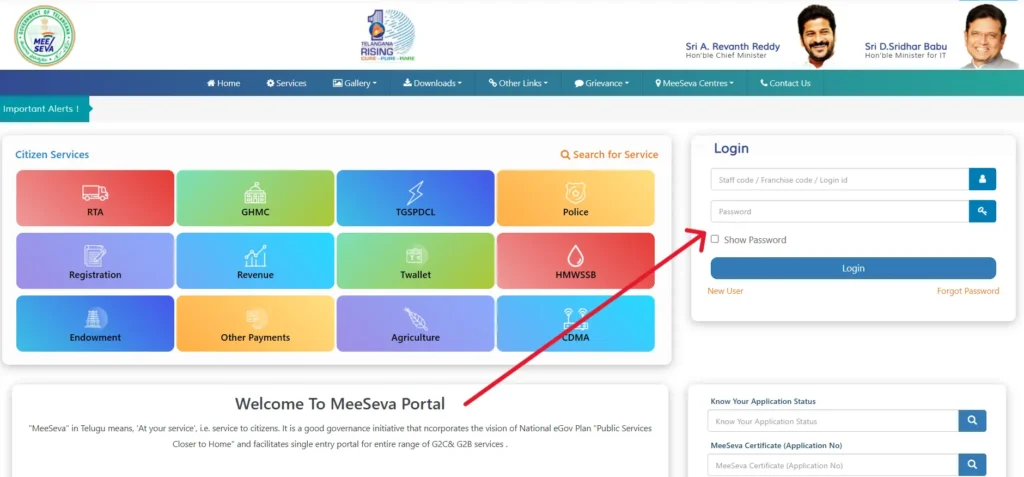
Follow these simple steps to access your MeeSeva Login account:
- Open your browser and visit the official Telangana MeeSeva portal at meeseva.telangana.gov.in.
- Click on Citizen Login available in the top-right corner.
- Enter your mobile number or User ID.
- Type your password correctly.
- Complete OTP verification if required.
- Click Login to access your MeeSeva dashboard and use online services.
Login Troubleshooting Tips
- Forgot Password? Use the Forgot Password option to reset your login credentials.
- Portal loading slow? Try accessing the MeeSeva 2.0 website during early morning or non-peak hours.
- Need faster access? Use the MeeSeva mobile app for a smoother experience.
TS MeeSeva Registration Process for New Users
New to MeeSeva 2.0? Creating an account is simple and allows you to access a wide range of government services online without visiting service centers. Complete the TS MeeSeva registration process by following these easy steps.
If you are a new user, follow these steps to register:
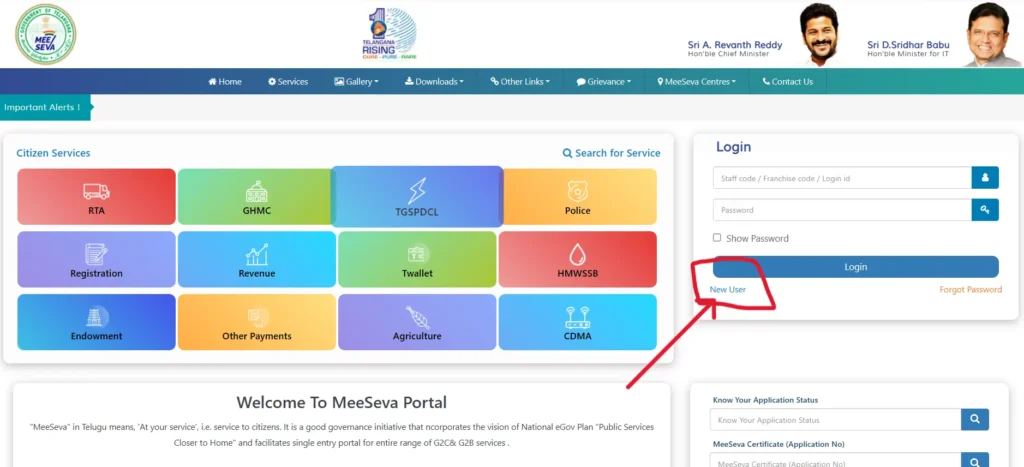
Visit the official TS MeeSeva portal homepage.
Click on New User.
Enter the required details:
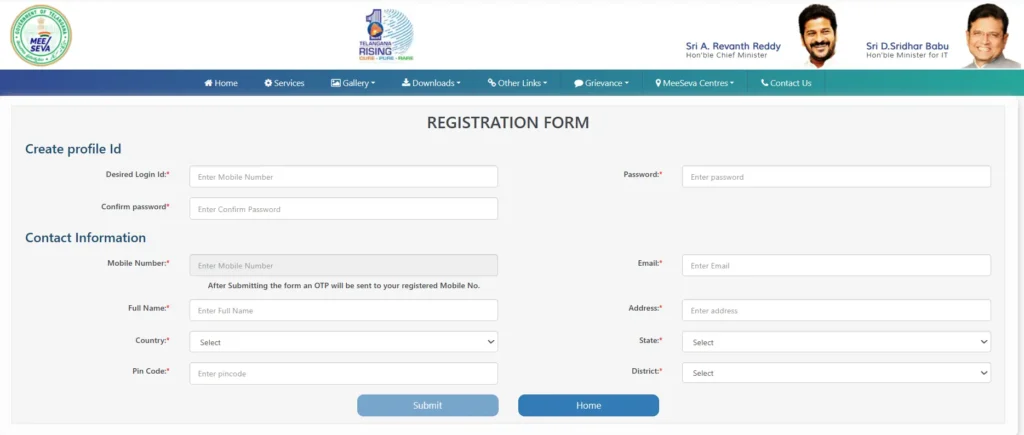
- Full Name
- Mobile Number
- Email ID
- Aadhaar Number (Optional)
Verify your mobile number through OTP authentication.
Create a secure password for your TS MeeSeva login.
Click Submit to complete the registration process.
🎉 Done! Your TS MeeSeva account is ready to use, and you can now log in to access certificates, applications, status tracking, and other online services.
How to Check TS MeeSeva Application Status Online
Checking your TS MeeSeva application status is quick and easy. Through the TS MeeSeva portal, you can track whether your application is approved, pending, or rejected without even logging into your account.
Follow these simple steps Application Status Check Process:
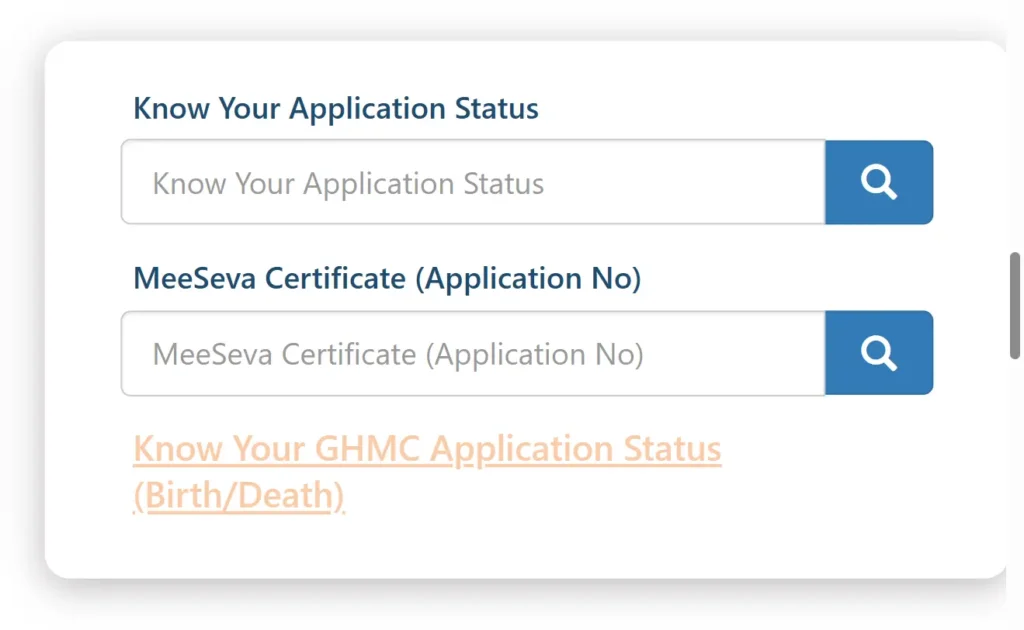
- Open the official MeeSeva portal.
- Click on Track Your Application.
- Select your service type.
- Enter any one of the following details:
- Transaction ID
- Application Number
- Mobile Number
- Enter the CAPTCHA code.
- Click Submit to view your application status.
👉 Your application status may show as:
- Approved
- Pending
- Rejected
Tips for application Status Tracking
- No login required for MeeSeva status check.
- Keep your MeeSeva receipt / transaction ID safe for future tracking.
- Use your mobile number for quick and easy application status verification.
Final Thoughts
The TS MeeSeva Portal is one of the most efficient digital governance platforms in India, designed to make government services easily accessible to citizens. It reduces the need for physical visits and saves both time and effort.
Whether you want to apply for certificates, pay utility bills, or track your application status, TS Meeseva 2.0 offers a fast, reliable, and user-friendly solution. all in one place.
👉 By using MeeSeva services, citizens can experience a smoother, more transparent, and digital-first approach to government services in Telangana.