Waiting for a government certificate can often feel like a guessing game. Fortunately, the Telangana government has digitized its administrative workflow, making it incredibly easy to track your TS MeeSeva application status from the comfort of your home. Whether you have applied for a Caste Certificate, Income Certificate, or a new Birth Record, you no longer need to make frequent visits to the local MeeSeva center just to ask for an update.
In this comprehensive guide, we will walk you through the various ways to check your meeseva application status ts using the official portal, a mobile app, and even a new WhatsApp chatbot. By the end of this article, you will know exactly how to interpret your application’s progress and what to do if things get stuck.
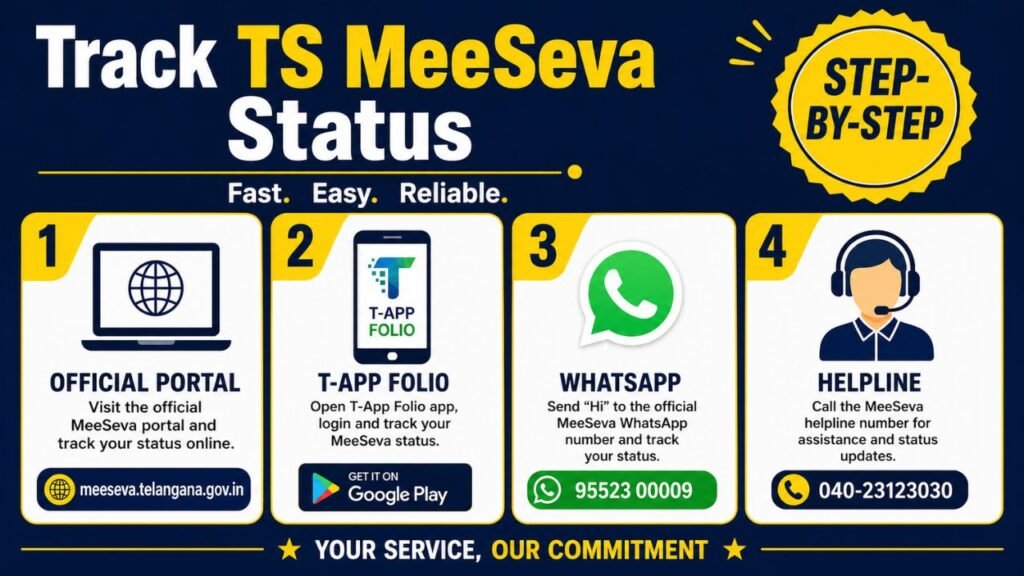
How to Track TS MeeSeva Application Status
The most reliable method to verify your application’s progress is through the official Telangana MeeSeva portal. This platform is designed to be mobile-friendly and accessible 24/7.
Follow these simple steps:
Visit the Official Website: Navigate to the TS MeeSeva Portal.
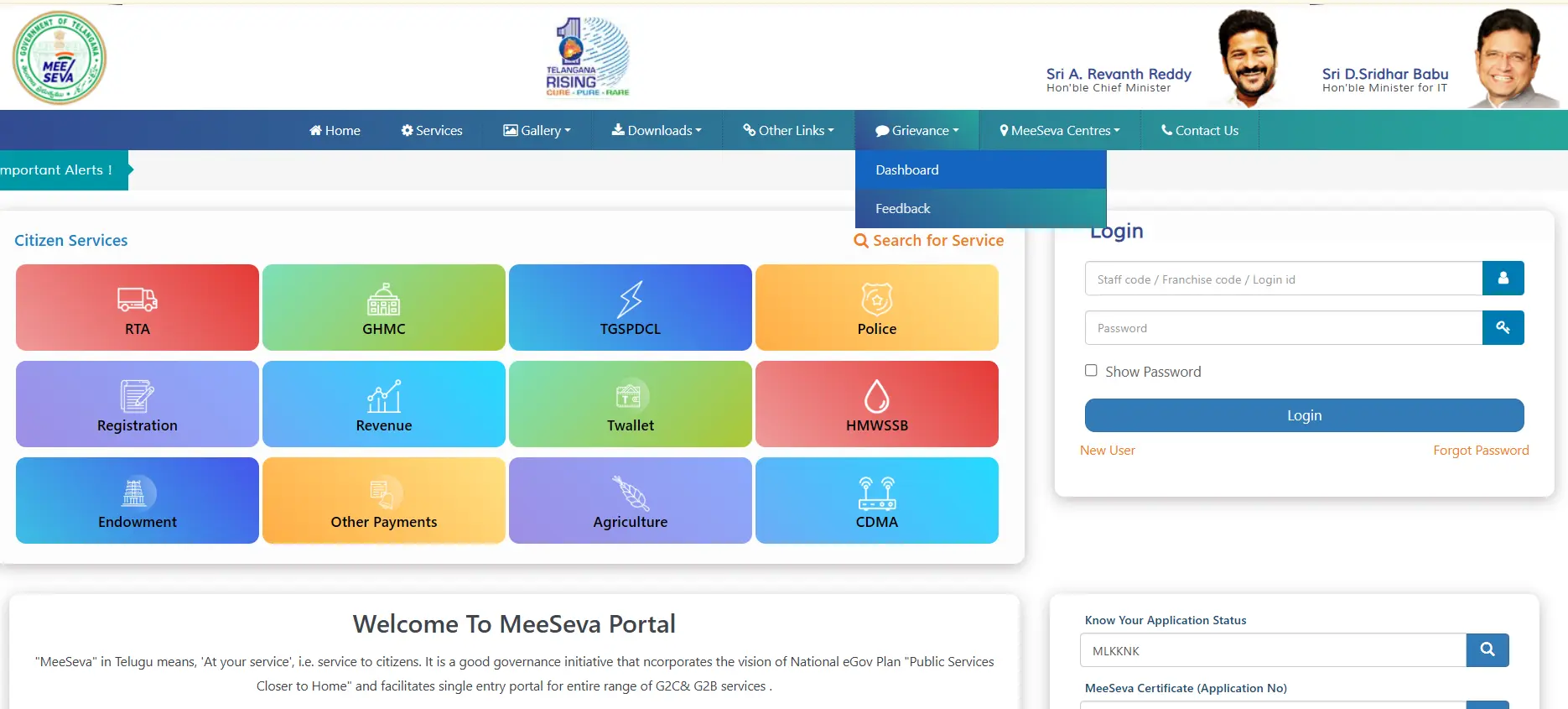
Find the Search Box: On the homepage, look for the sidebar or top section labeled “Know Your Application Status” or “MeeSeva Certificate (Application No)”
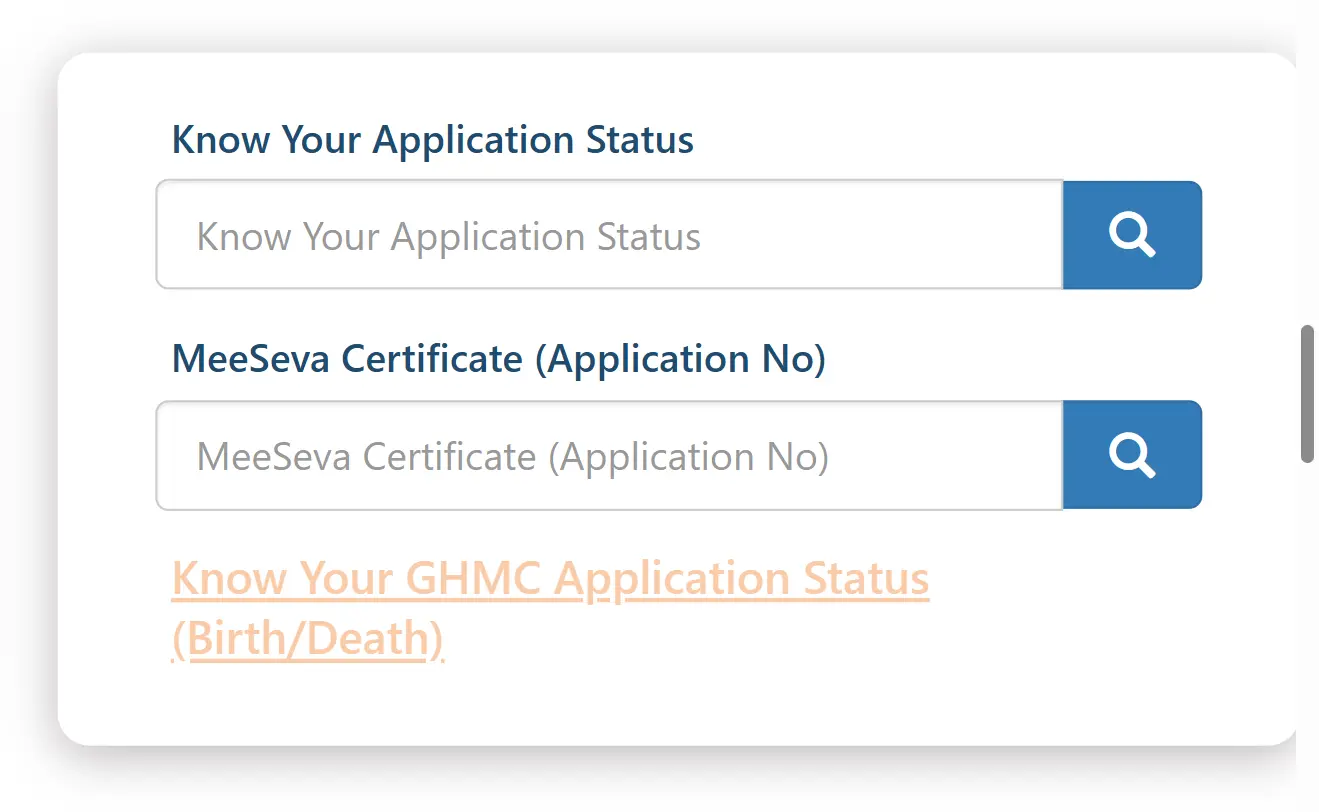
Enter Transaction ID: Locate the Application Number or Transaction ID on the acknowledgment slip you received during submission.
Submit Details: Type the ID exactly as shown, click the Search icon, enter the CAPTCHA code for verification, and then click Submit.
View Results: Your screen will display the current stage of your file, the officer currently handling it, and any remarks provided by the department.
Tracking via the T-App Folio Mobile App
For those who prefer using their smartphones, the meeseva ts application status can be monitored through the T-App Folio app. This is the official “super app” for Telangana citizens.

- Download the app from the Google Play Store or Apple App Store.
- Login using your registered mobile number.
- Navigate to the “MeeSeva” section and select “Application Status.”
- Enter your number to see a history of all your recent applications.
MeeSeva Status Through WhatsApp
In a revolutionary move for digital governance, Telangana recently launched an AI-driven WhatsApp service to make tracking even more intuitive. This service allows you to bypass the website entirely and get updates through a simple chat interface.
How to Use the WhatsApp Bot
To track your TS MeeSeva application status on WhatsApp:
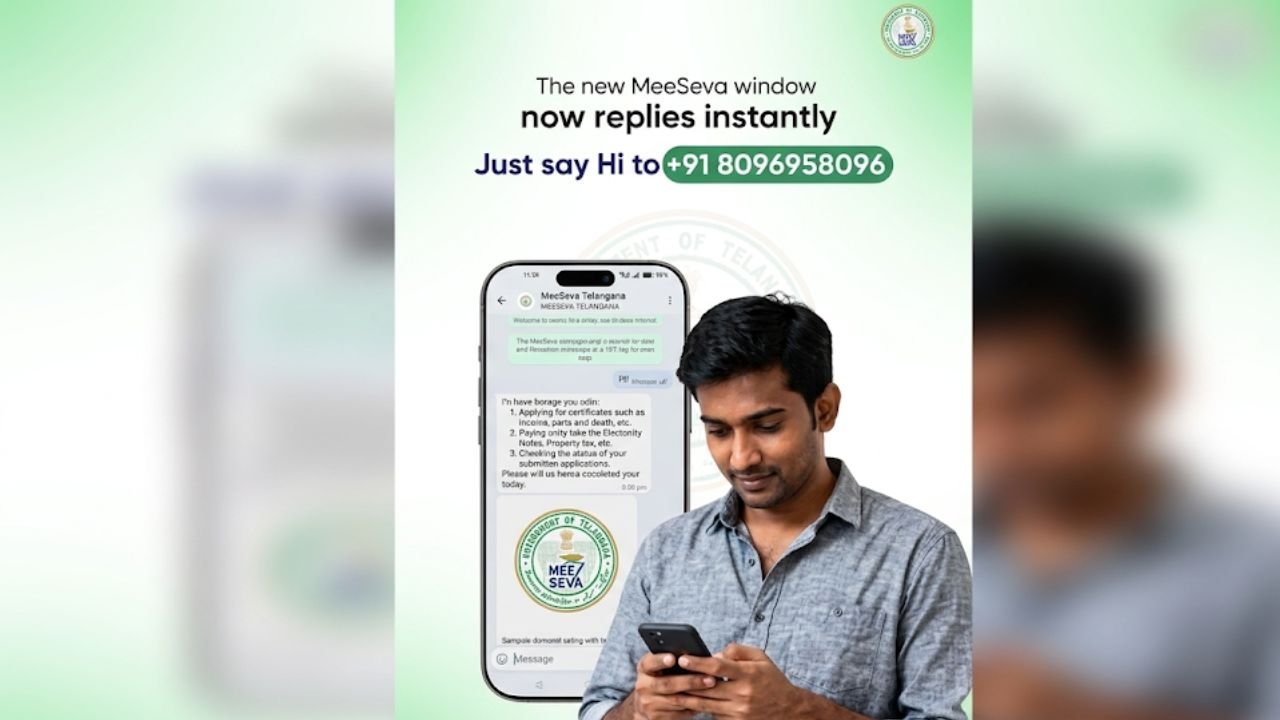
- Save the Number: Save 80969 58096 to your phone contacts as “TS MeeSeva.”
- Start a Chat: Send the word “Hi” to this number.
- Select Language: The bot will ask you to choose between English and Telugu.
- Choose Service: Select “Track Application” from the list of menu options provided by the chatbot.
- Provide ID: Send your Transaction ID when prompted.
The bot will instantly reply with the real-time status of your request. This method is particularly useful for those who find navigating government websites a bit cumbersome.
Application Status Meanings
When you check your meeseva application status ts, you will encounter specific terms used by the Revenue and IT departments. Understanding these “status tags” will help you determine how much longer you need to wait.
Common Status Terms and Timelines
The table below breaks down what each status means and the typical processing window.
| Status | Meaning | Expected Timeline |
| Submitted | Your application reached the server; payment is confirmed. | Immediate |
| Under Process | The file is with the VRO, RI, or Tahsildar for verification. | 3 – 7 Working Days |
| Approved | The certificate is signed and ready for download. | Instant Download |
| Rejected | Application denied due to missing documents or errors. | N/A |
| Pending for Clarification | The officer needs more info; check the “Remarks” section. | Varies |
Note: While most certificates take about a week, specific services like TS Ration Card Status (FSC) can take up to 30 days due to physical verification requirements at the household level.
Common Problems and Solutions
Sometimes, checking your TS MeeSeva application status doesn’t go as planned. Here are the most frequent hurdles and how to jump them:
1. “Transaction ID Not Found”
This usually happens if there was a typo or if you are using the wrong ID. Ensure you are using the MeeSeva Transaction ID (usually starting with ‘T’ or ‘C’) and not the payment gateway reference number.
2. Application Stuck in “Under Process” for Weeks
If your meeseva ts application status hasn’t changed for more than 15 days:
- Check Remarks: The officer might have left a note asking for a missing document.
- Visit the Center: Go to the MeeSeva center where you applied. Sometimes the physical file needs to be pushed to the next desk.
- Contact the Tahsildar Office: For revenue-related certificates (Income/Caste), the delay is often at the Mandal level.
3. Payment Success but No Application Number
If your money was deducted but you didn’t get an acknowledgment:
- Wait for 24 hours. The system often reconciles “failed” transactions automatically.
- If no ID is generated, contact meesevasupport@telangana.gov.in with your payment receipt.
Support and Helpline Numbers
If digital methods fail, you can always reach out to the official helpdesk. The Telangana government maintains a dedicated support system for MeeSeva users.
- Toll-Free Helpline: Dial 1100 or 1800 425 1110.
- Technical Support: Call 040-23120311.
- Email Support: Send your queries to meesevasupport@telangana.gov.in.
- In-Person Help: You can visit any MeeSeva center with your Aadhaar card and application details for manual verification.
Everything About Your MeeSeva Application Status Check FAQs:
1. How can I download my certificate after the TS MeeSeva application status shows approved?
Once your TS MeeSeva application status is marked as “Approved,” you can log back into the portal and click on the “Download Certificate” button. You will need to enter your application number one more time to generate the official digitally signed PDF.
2. Can I use my mobile number for a meeseva application status ts search?
Yes! If you have lost your acknowledgment slip, you can perform a meeseva application status ts search by logging into the T-App Folio mobile application using your registered mobile number. The app will list all services linked to your profile.
3. What is the fastest way to get a meeseva ts application status update on mobile?
The fastest way to get a meeseva ts application status update is through the official WhatsApp service (80969 58096). It provides instant real-time data without the need to navigate through the main website’s menus.
4. Why is my TS MeeSeva application status not changing for several days?
If your status remains “Under Process,” it usually means your file is awaiting a field verification by a Village Revenue Officer (VRO) or is sitting in the Tahsildar’s digital inbox. For revenue certificates, this stage typically takes 3 to 7 working days.
5. Is there a separate portal for TS MeeSeva ration card application status?
While you can check the basic status on the MeeSeva site, for a detailed TS Ration Card (FSC) status, it is better to visit the EPDS Telangana portal. MeeSeva tracks the transaction, but the EPDS portal tracks the logistics of card printing and delivery.
By staying informed about your TS MeeSeva application status, you can ensure your documents are processed on time and resolve any issues before they become major delays. Use the WhatsApp bot for the fastest updates, and keep your acknowledgment slip safe until you have the final certificate in hand!
For more details on navigating these services and staying updated on the latest government notifications, you can visit tsmeeseva.org. This platform serves as a dedicated information hub to help you understand the various digital transformations happening within the state’s governance.